You haven't lived until you've used a tiling window manager
Published on 18/10/2025
If you have ever occasionally stumbled into r/unixporn almost every post will have one piece of software in common. a tiling window manager, usually accompanied by a tricked out NeoVim setup that the poster is more than proud to show off. For too long I delayed foraying into them, the customisation striking me as too time consuming to involve myself with. What I have already works, so why change? Turns out, my setup wasn't working for me as well as I thought.
What even is a "tiling window manager?"
It's a safe assumption that you are somewhat familiar with floating window managers. Windows 11 and MacOS both allow you to resize windows and move them manually. Alternatively, you can use the window snapping feature and drag them to the sides of the window to automatically resize them to half or quarter of the screen size. Certainly a handy feature if you need several apps open side by side.
Now imagine: what if you did not have to resize the windows yourself? what if, when you open a new program it automatically resizes itself to take up the maximum space allowed, without overlapping the windows?
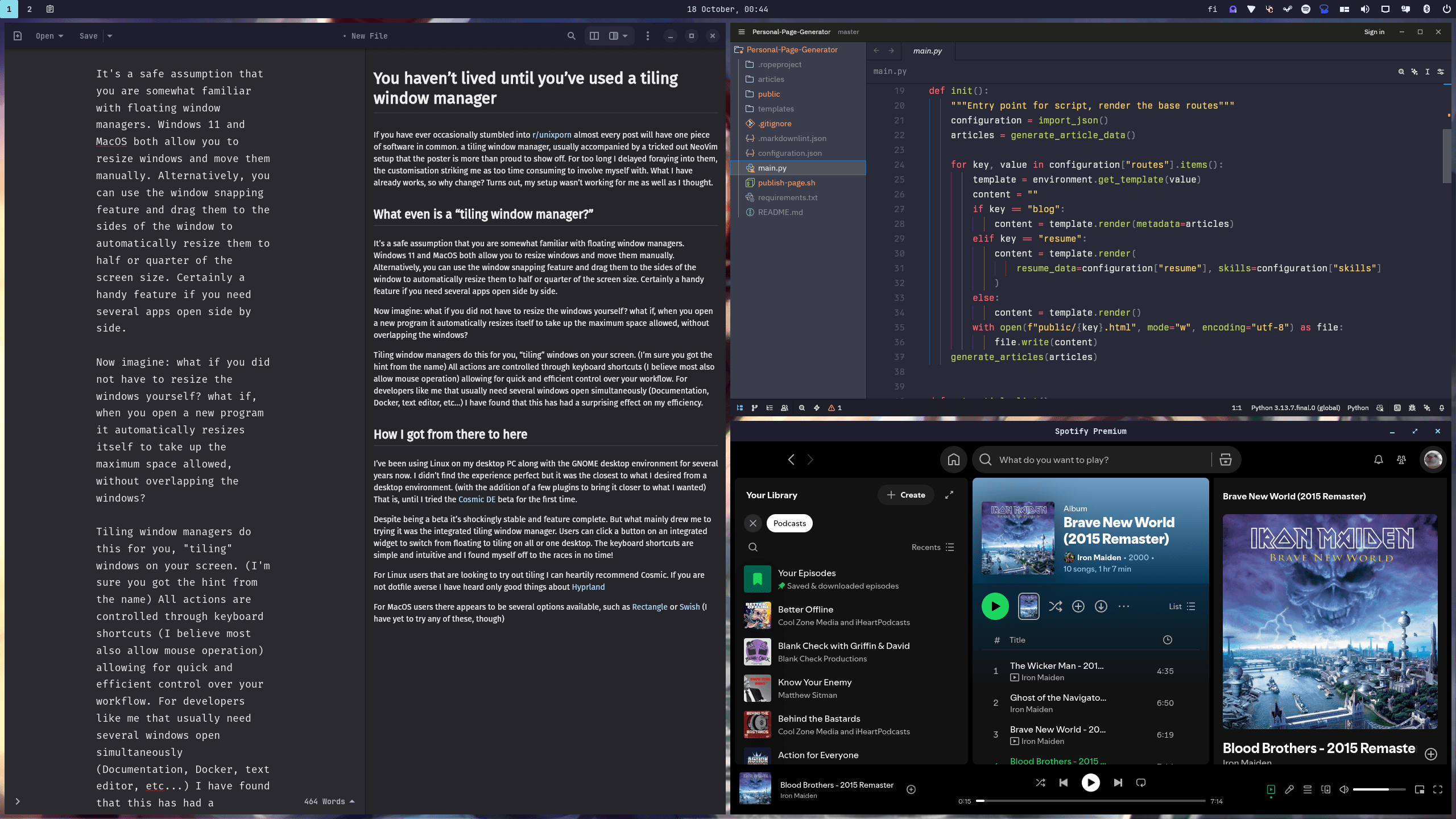
Tiling window managers do this for you, "tiling" windows on your screen. (I'm sure you got the hint from the name) All actions are controlled through keyboard shortcuts (I believe most also allow mouse operation) allowing for quick and efficient control over your workflow. For developers like me that usually need several windows open simultaneously (Documentation, Docker, text editor, etc...) I have found that this has had a surprising effect on my efficiency.
How I got from there to here
I've been using Linux on my desktop PC along with the GNOME desktop environment for several years now. I didn't find the experience perfect but it was the closest to what I desired from a desktop environment. (with the addition of a few plugins to bring it closer to what I wanted) That is, until I tried the Cosmic DE beta for the first time.
Despite being a beta it's shockingly stable and feature complete. But what mainly drew me to trying it was the integrated tiling window manager. Users can click a button on an integrated widget to switch from floating to tiling on all or one desktop. The keyboard shortcuts are simple and intuitive and I found myself off to the races in no time!
Need to open my file manager? Super + f. Browser? Super + b. move between windows? Super + arrow keys. move windows around? Super + Shift + arrow keys. Maximise a window? Super + m.
Tempted to give it a try?
For Linux users that are looking to try out tiling I can heartily recommend Cosmic. If you are not dotfile averse I have heard only good things about Hyprland
For MacOS users there appears to be several options available, such as Rectangle or Swish (I have yet to try any of these, though)
And, Finally
I hope you consider giving this whole tiling window manager trend a try. You'll be surprised how fast you can move when you don't have to move one of your arms to use the mouse. This has convinced me that I should finally give NeoVim and its famous Vim motions a try. Join me next time as I do so and spend so much time configuring my setup I get fired from my job!